
2 Best Ways to Play PUBG on Low End PC

PUBG has already become a trendy game. More than 100 million downloads on Play store and 50 Million+ copies on PC and Xbox. Now that's what we call a 'Battle Royale'. It already won the 'Best Multiplayer Game' award and was a nominee in Game of the year, but God of War won this one.
Due to its addictive gameplay, varieties, attractive graphics and coolness, the game already won all the gamers' heart. But not all people are able to enjoy PUBG because of their PC's limits. Today, I will tell you how you can Play PUBG on Your potato PC.
Before Following these steps get Pubg XAPK and Xapk Installer
METHOD 1: Phoenix OS

The Phoenix OS is the best, yes THE BEST option to choose here. This method doesn't need much explanation, but I will guide you.
Phoenix OS is an Android x86 (no worries, available for both x86 and x64) project. It is a complete Android ROM for your PC. It has similar environment to a Mac and has all shortcut and other features of a Windows system. It is great for gaming and has inbuilt keymapping to play all android games.
Its best for PUBG because on a low end pc, you can still enjoy HD graphics and a framerate of 60fps. No need to worry about drivers, its built on linux (as all android) and has pre installed drivers for most of GPUs (both integrated and discrete), Audio controllers, Wi-f-, LAN, keyboards, mouse etc.
Here is basic requirement to play PUBG at HD settings, Ultra framerate and Realistic theme:
Dual core 2nd generation CPU with clockrate of 2 Ghz, 2 GB of RAM, Intel HD 2000 or above (integrated) / Nvidia GT210 1GB .
How to Install?
NOTE- It will not modify, delete or format your data and files.
(i) Get the .exe setup from here.
(ii) After download, run setup.
(iii) Select a drive letter, then select 8GB as Data.IMG size. This will be internal storage.
(iv) After this, setup will start and finish in 5 minutes.
After this, you may boot into phoenix os from desktop icon. If you are stuck at a screen after booting like this:


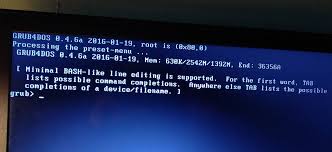
Now, copy XAPK file and Xapk installer on a flash drive and run Phoenix OS. Install the game as you would on Android. Double click the installer!
Method 2: Tencent Gaming Buddy

Simply, the best choice for beginners. Its setup is not so complicated. But the performance is like shit. You can only play if you have 3GB ram, Geforce GT210 1 GB and a decent CPU. Even with these specs, it run laggy on medium settings. Personally, its better than any other emulator but only try it if you have a 4GB RAM PC, atleast Gefor GT 610 1GB and Intel Core i3 5005-u 5th Generation.
Its not so good for low end PC. Also, it sometimes fails to install PUBG. And the installation process is like hell. Even though, it beats all other emulators with it Perfect Keymapping.
To install follow this link- Tencent Gaming Buddy


